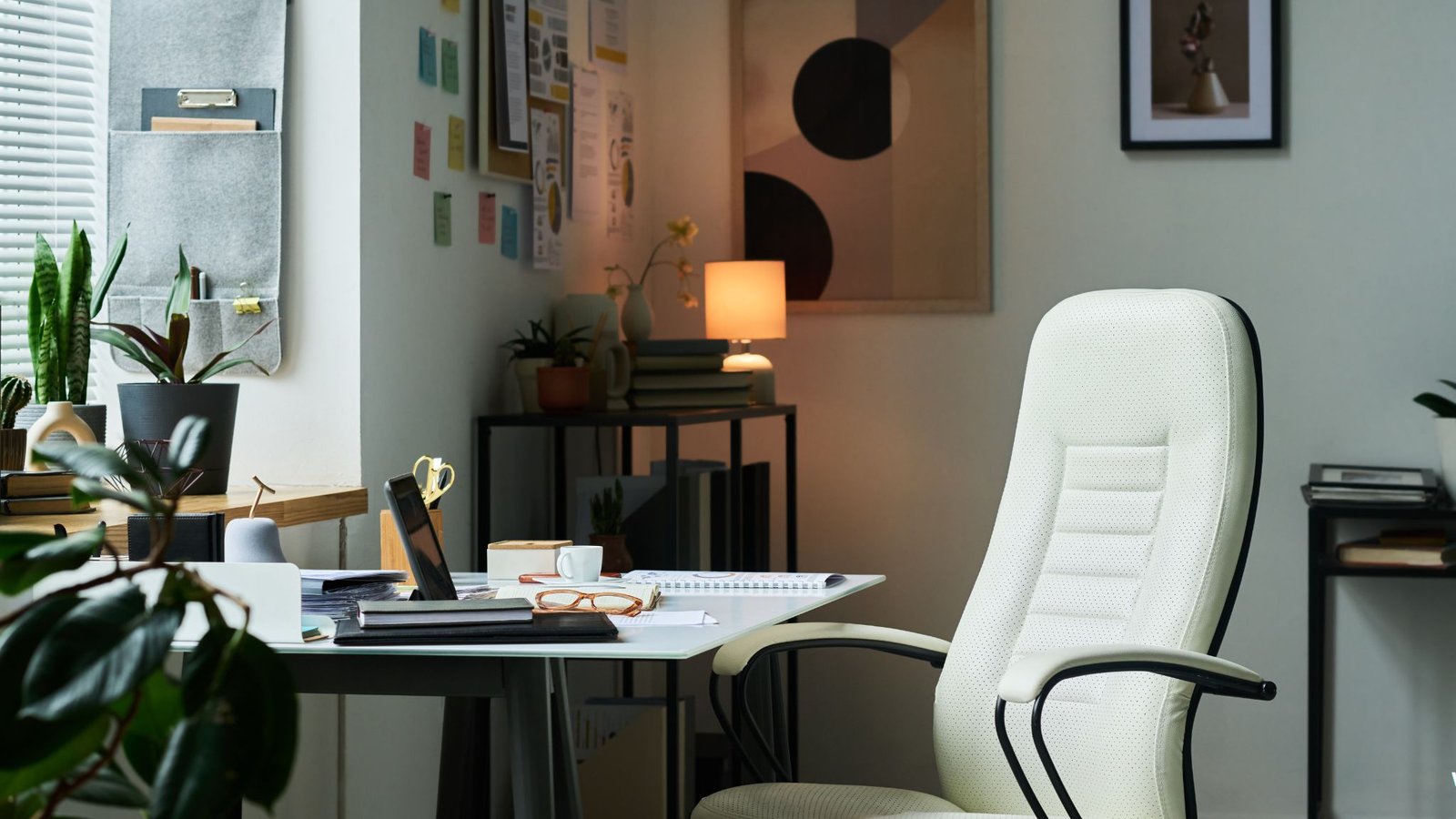
Working from home has transformed from a temporary arrangement to a permanent lifestyle for millions of professionals worldwide. As remote work continues to dominate the employment landscape in 2026, one truth has become crystal clear: your office chair is no longer just furniture; it’s an essential investment in your health, productivity, and long-term well-being.
If you’re experiencing back pain, neck stiffness, or fatigue after a day at your home desk, your chair is likely the culprit. The wrong seating can lead to poor posture, chronic pain, decreased productivity, and even long-term musculoskeletal problems. Conversely, a quality ergonomic office chair can transform your work-from-home experience, keeping you comfortable, focused, and pain-free through even the longest workdays.
This comprehensive guide presents our top 10 ergonomic office chairs for home workers, each thoroughly tested and reviewed based on comfort, adjustability, build quality, and value. Whether you’re a budget-conscious remote worker or ready to invest in a premium solution, you’ll find the perfect chair to support your home office needs.
What Makes an Office Chair Truly Ergonomic?
Before diving into our reviews, let’s establish what separates a truly ergonomic chair from standard office seating.
Essential Ergonomic Features
Lumbar Support: The most critical feature of any ergonomic chair is proper lumbar support. Your lower back has a natural inward curve that needs support to prevent slouching and strain. Quality ergonomic chairs offer adjustable lumbar support that you can position to match your spine’s natural curvature.
Seat Height Adjustment: Your feet should rest flat on the floor with your thighs parallel to the ground. Pneumatic seat height adjustment allows you to achieve this position regardless of your height, ensuring proper blood circulation and reducing pressure on your legs.
Seat Depth and Width: The seat should be deep and wide enough to support your body comfortably. Ideally, you should have two to four inches between the edge of the seat and the back of your knees to avoid circulation problems. Some advanced chairs offer seat depth adjustment to accommodate different body types.
Armrest Adjustability: Proper armrest positioning reduces shoulder and neck strain. Look for chairs with height-adjustable armrests at a minimum, though the best ergonomic chairs offer 4D adjustment, including height, width, depth, and angle.
Backrest Adjustment: Your backrest should support your spine’s natural S-curve and allow you to recline slightly to shift your weight throughout the day. Tilt tension control lets you adjust how easily the chair reclines based on your body weight.
Quality Materials and Construction: Breathable mesh backs prevent heat buildup during long work sessions, while high-density foam seats maintain their shape and support over years of use. A sturdy five-point base with smooth-rolling casters ensures stability and mobility.
Why Ergonomics Matter for Home Workers
Home workers often sit for longer continuous periods than traditional office employees. Without the natural breaks that come from commuting, walking to meetings, or grabbing lunch with colleagues, remote workers may remain seated for four to six hours straight. This prolonged sitting amplifies the importance of proper ergonomic support.
Poor ergonomics leads to a cascade of problems. Initial discomfort evolves into chronic pain, which reduces focus and productivity. Over time, inadequate seating can contribute to conditions like herniated discs, carpal tunnel syndrome, and chronic back pain. Medical treatment for these conditions far exceeds the cost of a quality ergonomic chair, making proper seating a smart preventive investment.
Our Testing Methodology
Each chair in this review underwent rigorous testing by multiple testers with varying body types, heights, and work styles. Our evaluation process included extended use periods of at least two weeks per chair, assessment across key criteria including comfort during eight-plus hour workdays, ease of assembly and adjustment, build quality and durability indicators, ergonomic feature effectiveness, and value relative to price point.
We tested these chairs in real home office environments, not showrooms, giving us authentic insights into how they perform during actual work situations. Our testers include writers, programmers, designers, and customer service representatives, representing diverse work activities and seating needs.
Top 10 Ergonomic Office Chairs for Home Workers
1. Herman Miller Aeron Chair (Remastered)
Price Range: $1,545 – $1,895
Best For: Professionals seeking the ultimate ergonomic investment
Weight Capacity: 350 lbs
The Herman Miller Aeron remains the gold standard of ergonomic office chairs, and the remastered version improves upon the already-legendary original. This chair represents the pinnacle of ergonomic design, engineering, and build quality.
Key Features: The Aeron’s PostureFit SL system provides exceptional lumbar and sacral support, supporting your spine’s entire lower region rather than just a single point. The patented 8Z Pellicle mesh suspension eliminates pressure points while providing responsive support that adapts to your movements. The seat and back are available in three sizes (A, B, C) to accommodate different body types perfectly.
Adjustability is comprehensive with pneumatic seat height, adjustable armrests with height, width, depth, and pivot controls, forward tilt and tilt limiter mechanisms, and adjustable PostureFit SL support.
Our Testing Experience: Over three weeks of daily use, the Aeron proved why it’s worth its premium price. The mesh remained cool even during summer testing, the support system eliminated the lower back pain one tester had experienced with their previous chair, and every adjustment mechanism operated smoothly with precision. The chair’s ability to support various working positions, from upright focused work to reclined thinking, was exceptional.
Pros: Unmatched lumbar support system, breathable mesh prevents heat buildup, three size options ensure perfect fit, 12-year warranty demonstrates quality confidence, exceptional build quality, and durability.
Cons: Very high price point, mesh seat may feel too firm for some users initially, requires time to dial in all adjustments perfectly.
Verdict: If budget allows, the Aeron is the best ergonomic chair investment you can make. It’s particularly ideal for those who sit eight or more hours daily and anyone dealing with existing back problems.
2. Steelcase Leap V2
Price Range: $1,156 – $1,342
Best For: Users who change positions frequently throughout the day
Weight Capacity: 400 lbs
The Steelcase Leap V2 takes a different approach to ergonomics than the Aeron, focusing on supporting the body through a wide range of postures rather than enforcing a single ideal position.
Key Features: The LiveBack technology mimics the natural movement of your spine, changing shape as you recline to provide continuous support. The Natural Glide System allows you to recline while keeping your feet on the floor and your eyes on your screen, a more natural movement than traditional tilt mechanisms. The Leap V2 offers four-way adjustable arms, adjustable lumbar support with height and depth controls, seat depth adjustment, and lower back firmness control.
Our Testing Experience: The Leap V2 excelled for testers who alternate between focused typing, reading documents, and video calls. The ability to recline while maintaining proper posture felt more natural than fixed-position chairs. The seat depth adjustment proved valuable for our shorter testers, and the chair supported weights up to 400 pounds without any structural concerns.
Pros: Exceptional support across multiple postures, high weight capacity, LiveBack technology provides superior spinal support, is highly adjustable for different body types, and is extremely durable.
Cons: Fabric upholstery options can trap heat compared to mesh, the price is substantial, though slightly less than Aeron, and armrests lack the range of some competitors.
Verdict: The Leap V2 is ideal for dynamic workers who shift positions throughout the day and anyone seeking a chair that adapts to movement rather than restricting it.
3. Secretlab Titan Evo 2022 Series
Price Range: $519 – $649
Best For: Gamers transitioning to remote work or users wanting premium features at mid-range pricing
Weight Capacity: 285 lbs (Regular), 395 lbs (XL)
Originally designed for gamers, the Secretlab Titan Evo has become a favorite among remote workers who appreciate its combination of comfort, adjustability, and aesthetic appeal at a more accessible price point than traditional ergonomic leaders.
Key Features: The proprietary NEO Hybrid Leatherette or fabric upholstery is exceptionally durable and easy to clean. The integrated 4-way L-ADAPT lumbar support system adjusts in depth and height without external pillows. A magnetic memory foam head pillow provides neck support, and 4D armrests offer comprehensive adjustability. Available in three sizes (Small, Regular, XL Plus) accommodates various body types.
Our Testing Experience: The Titan Evo impressed with its immediate comfort right out of the box. The cold-cure foam seat remained supportive even after eight-hour sessions, and the integrated lumbar support proved more effective than the typical cushion-based systems found in similarly priced chairs. The build quality felt premium with metal components and a solid base. The chair’s aesthetic appeals to those who want their home office to have a modern, sleek look.
Pros: Excellent value for features offered, integrated lumbar support superior to pillow systems, premium feel and aesthetics, three size options, and easy assembly process.
Cons: Not as breathable as mesh alternatives, gaming aesthetic may not suit all home offices, and less adjustable than top-tier ergonomic chairs.
Verdict: The Titan Evo offers outstanding value for remote workers seeking premium features without the $1,500-plus price tag. It’s particularly suitable for those who appreciate modern design and work in climate-controlled environments.
4. Autonomous ErgoChair Pro
Price Range: $449 – $549
Best For: Budget-conscious buyers seeking legitimate ergonomic features
Weight Capacity: 300 lbs
The Autonomous ErgoChair Pro democratizes ergonomic seating, offering essential adjustability features at a fraction of premium chair prices. It’s become a popular choice for remote workers outfitting home offices on reasonable budgets.
Key Features: The chair provides adjustable lumbar support with both height and depth controls, a breathable mesh back and seat, height-adjustable headrest, adjustable armrests (2D), and tilt tension adjustment. The all-mesh construction promotes airflow to keep you cool.
Our Testing Experience: For its price point, the ErgoChair Pro delivered impressive performance. The mesh remained supportive throughout full workdays, though taller and heavier testers noted it didn’t provide quite the same level of support as premium alternatives. Assembly was straightforward, taking about 30 minutes. The adjustments, while not as refined as luxury chairs, were functional and met basic ergonomic needs.
Pros: Exceptional value proposition, all-mesh design prevents heat buildup, decent adjustability range, suitable for most average-height users, straightforward assembly.
Cons: Build quality doesn’t match premium chairs, mesh may feel less substantial than padded seats, and limited armrest adjustability compared to top-tier models.
Verdict: The ErgoChair Pro is ideal for remote workers on a budget who still want genuine ergonomic benefits. It’s particularly suitable for those in hot climates who prioritize breathability.
5. Herman Miller Embody
Price Range: $1,895 – $2,095
Best For: Tech workers and those with the highest ergonomic standards
Weight Capacity: 300 lbs
The Herman Miller Embody was designed in collaboration with physicians and ergonomic experts specifically to address the health challenges of prolonged sitting. It represents Herman Miller’s most advanced ergonomic thinking.
Key Features: The Backfit adjustment allows the chair to conform to your spine’s natural curve automatically. Pixelated support distributes weight evenly, reducing pressure points. The dynamic matrix of pixels moves with you, supporting micro-movements. Tilt limiter with four stop points lets you control recline range. Adjustable arms with height and pivot.
Our Testing Experience: The Embody feels unlike any other chair. The backrest’s flexibility takes some adjustment if you’re accustomed to traditional lumbar support, but within days, testers reported reduced fatigue and improved circulation. The chair actively encourages micro-movements that keep blood flowing and muscles engaged. For computer-intensive work, the Embody reduced shoulder tension that testers typically experienced. The seat cushion remains comfortable even after ten-hour days.
Pros: Scientifically designed to reduce sitting-related health issues, exceptional pressure distribution, encourages healthy movement while seated, premium build quality and materials, 12-year warranty.
Cons: Extremely high price point, unique feel requires adjustment period, may provide less structure than some users prefer.
Verdict: The Embody is the choice for professionals who spend most of their waking hours seated and prioritize long-term health outcomes over initial cost. It’s especially suitable for programmers, writers, and designers.
6. Branch Ergonomic Chair
Price Range: $349 – $399
Best For: First-time ergonomic chair buyers and budget-conscious remote workers
Weight Capacity: 275 lbs
Branch has disrupted the office furniture market by offering ergonomic chairs with essential features at remarkably affordable prices, made possible by direct-to-consumer sales and efficient manufacturing.
Key Features: The chair includes adjustable lumbar support, adjustable seat depth, breathable mesh back, padded seat, tilt tension control, and adjustable armrests. It comes in five color options to match various home office aesthetics.
Our Testing Experience: The Branch Ergonomic Chair proved that good ergonomics doesn’t require a four-figure investment. While it lacks the refinement of premium chairs, it covers all ergonomic essentials competently. The seat depth adjustment was particularly appreciated by shorter testers. The mesh back provided adequate breathability, and the lumbar support, though basic, made a noticeable difference. The assembly took about 25 minutes with clear instructions.
Pros: Outstanding value for money, all essential ergonomic features included, seat depth adjustment rare at this price, decent build quality, 30-day trial period, and 7-year warranty.
Cons: Armrest adjustability is limited compared to premium models, mesh and padding quality are adequate but not exceptional, and may not provide enough support for heavy or very tall users.
Verdict: The Branch Ergonomic Chair represents excellent value for those new to ergonomic seating or outfitting home offices on tight budgets. It’s a smart choice for average-height users in moderate-use scenarios.
7. Haworth Fern
Price Range: $945 – $1,295
Best For: Eco-conscious buyers seeking sustainable ergonomic solutions
Weight Capacity: 300 lbs
The Haworth Fern stands out not just for its ergonomic credentials but for its commitment to sustainability. It’s one of the most environmentally responsible office chairs available without compromising on comfort or adjustability.
Key Features: The Fern offers adaptive bolster technology that provides responsive lumbar support, breathable mesh or upholstered back options, eco-friendly materials including recycled content, intuitive adjustments designed to be discoverable without a manual, and height-adjustable arms with pivot.
Our Testing Experience: The Fern surprised testers with its intuitive design. Adjustments were easy to discover and modify without consulting instructions. The adaptive lumbar support provided excellent lower back comfort that adjusted as testers changed positions. The mesh back option remained cool, and the overall aesthetic is modern without being overtly technical. The environmental credentials added satisfaction to the purchase for testers who value sustainability.
Pros: Excellent ergonomic support, highly sustainable construction, intuitive adjustment mechanisms, beautiful modern design, quieter than many mesh chairs when adjusting position.
Cons: Limited availability compared to mainstream brands, fewer upholstery options than some competitors, slightly less adjustable than top-tier Herman Miller or Steelcase options.
Verdict: The Fern is ideal for environmentally conscious professionals who want their purchases to reflect their values without sacrificing comfort. It’s particularly suitable for sustainable companies outfitting home offices.
8. Nouhaus Ergo3D
Price Range: $379 – $429
Best For: Users seeking maximum adjustability at mid-range pricing
Weight Capacity: 275 lbs
The Nouhaus Ergo3D packs an impressive array of adjustments into a moderately priced package, earning it the nickname “the poor man’s Herman Miller” among budget-conscious ergonomics enthusiasts.
Key Features: The chair provides 4D adjustable armrests, adjustable 3D lumbar support, adjustable headrest, tilt lock with tension control, breathable mesh back, and seat depth adjustment. The ElastoMesh material provides flexible support.
Our Testing Experience: The Ergo3D’s extensive adjustability impressed testers who appreciated being able to fine-tune nearly every aspect of the chair. The 3D lumbar support allowed both height and depth adjustment, plus angle, which proved valuable for different tasks. The headrest effectively supported the neck during phone calls and video meetings. While materials didn’t feel as premium as top-tier chairs, they performed well during testing. Assembly was straightforward with good documentation.
Pros: Exceptional adjustability for the price, effective lumbar support system, breathable mesh construction, headrest included, good value proposition.
Cons: Build quality feels less substantial than premium alternatives, mesh may lose some support over extended use, and the aesthetic is functional rather than premium.
Verdict: The Ergo3D suits users who want extensive adjustability without premium pricing. It’s ideal for those who like to tinker with settings to achieve perfect positioning.
9. IKEA Markus
Price Range: $219 – $279
Best For: Extremely budget-conscious buyers or temporary home office solutions
Weight Capacity: 243 lbs
The IKEA Markus proves that basic ergonomic principles can be implemented at budget-friendly prices. While it lacks the adjustability and premium materials of higher-priced chairs, it provides essential support for casual or part-time home workers.
Key Features: The chair includes built-in lumbar support, high backrest with neck support, tilt tension adjustment, height-adjustable seat, and durable fabric or leather upholstery options. The simple design focuses on essential ergonomics.
Our Testing Experience: The Markus won’t compete with premium ergonomic chairs, but it significantly outperformed generic office chairs at similar prices. The high backrest provided good support, and the built-in lumbar curve helped maintain posture. The tilt mechanism worked smoothly, and the fabric option proved reasonably breathable. However, testers noted that after six hours, the lack of adjustability became limiting. The chair worked best for part-time remote work or as a temporary solution.
Pros: Extremely affordable, readily available at IKEA stores, simple and functional design, decent build quality for the price, 10-year warranty on frame.
Cons: Very limited adjustability, armrests are fixed, a one-size-fits-all approach won’t suit all body types, and padding may compress over time.
Verdict: The Markus is appropriate for part-time remote workers, students, or as a temporary solution while saving for a premium chair. It’s also suitable for guest workstations or multi-user home offices.
10. Sihoo M18
Price Range: $269 – $329
Best For: Budget buyers seeking mesh comfort and basic adjustability
Weight Capacity: 330 lbs
The Sihoo M18 has gained popularity among budget-conscious remote workers through word-of-mouth recommendations. It offers full mesh construction and basic ergonomic features at an accessible price point.
Key Features: The chair provides a full mesh seat and back for breathability, adjustable lumbar support, flip-up armrests, tilt lock mechanism, seat height adjustment, and straightforward assembly. The all-mesh design prevents heat buildup.
Our Testing Experience: The M18’s full mesh construction proved its greatest strength, keeping testers cool even during summer testing. The lumbar support, while basic, made a noticeable difference in maintaining posture. The flip-up armrests offered flexibility when moving close to desks. Build quality felt adequate, though not exceptional, with some minor wobble in the backrest. For its price, the chair delivered solid performance for average-height users in moderate-use scenarios.
Pros: Full mesh design is excellent for hot climates, higher weight capacity than expected at this price, flip-up armrests add flexibility, easy assembly, and affordable.
Cons: Limited adjustability options, build quality is adequate but not exceptional, and may not provide enough support for full-day intensive use.
Verdict: The Sihoo M18 suits budget-conscious buyers in warm climates or those who prioritize breathability. It’s appropriate for part-time remote work or as an entry-level ergonomic upgrade.
How to Choose the Right Ergonomic Chair for Your Needs
With options ranging from $200 to $2,000, selecting the right ergonomic chair requires considering your specific situation and priorities.
Assess Your Usage Pattern
Consider how many hours you sit daily. For eight or more hours of daily use, invest in premium chairs like the Aeron, Leap V2, or Embody. These chairs maintain support over extended periods and offer durability that justifies higher costs. For four to six hours daily, mid-range options like the Secretlab Titan Evo, Autonomous ErgoChair Pro, or Haworth Fern provide excellent support at more accessible prices. For occasional use or part-time remote work, budget options like the Branch Ergonomic Chair, IKEA Markus, or Sihoo M18 offer adequate support.
Consider Your Body Type
Your height, weight, and build significantly impact chair comfort and support. Taller users (over six feet) should prioritize chairs with tall backrests and ample seat depth. The Herman Miller Aeron Size C, Steelcase Leap V2, or Secretlab Titan Evo XL Plus accommodate larger frames well. Average-height users (5’4″ to 5’11”) fit most chairs comfortably but benefit from seat depth adjustment found in chairs like the Branch Ergonomic Chair or Nouhaus Ergo3D. Shorter users (under 5’4″) need seat depth adjustment to avoid pressure on the back of their knees. The Herman Miller Aeron Size A, Steelcase Leap V2 with seat depth slider, or Secretlab Titan Evo Small provide better fits. Heavier users should verify weight capacity and choose chairs with robust construction, like the Steelcase Leap V2 (400 lbs), Secretlab Titan Evo XL (395 lbs), or Sihoo M18 (330 lbs).
Evaluate Your Workspace Climate
Temperature significantly affects chair comfort during long work sessions. For hot climates or warm home offices, prioritize full-mesh construction like the Herman Miller Aeron, Autonomous ErgoChair Pro, or Sihoo M18. These chairs promote airflow and prevent the discomfort of heat buildup. For climate-controlled environments, padded or upholstered chairs like the Secretlab Titan Evo or upholstered versions of the Steelcase Leap V2 offer comfort without overheating concerns.
Budget Realistically
Ergonomic chairs represent long-term investments in your health and productivity. A quality chair lasts seven to twelve years, making the per-year cost quite reasonable even for premium models. Consider the math: a $1,500 chair used daily for ten years costs $150 per year or about 60 cents per workday, far less than the cost of treating back pain or lost productivity from discomfort.
However, budget constraints are real. If premium chairs exceed your current budget, a good mid-range ergonomic chair significantly outperforms a cheap generic office chair. The Branch Ergonomic Chair at $349 or the Autonomous ErgoChair Pro at $449 provide legitimate ergonomic benefits that justify their modest prices.
Test Before Buying When Possible
Many ergonomic chair retailers offer trial periods, typically 30 to 60 days. Take advantage of these policies to test chairs in your actual work environment. What feels comfortable for 20 minutes in a showroom may reveal shortcomings after eight hours of use. Pay attention to pressure points, support consistency, heat buildup, and whether the chair encourages or hinders good posture throughout your workday.
Setting Up Your Ergonomic Chair Correctly
Purchasing an ergonomic chair is only half the equation. Proper setup and adjustment are essential to realize the chair’s full benefits.
The Five-Step Adjustment Process
Step 1: Adjust Seat Height: Sit in the chair with your feet flat on the floor. Your thighs should be parallel to the ground or sloping slightly downward. Your knees should be level with or slightly lower than your hips. Adjust the pneumatic lever until this position is achieved.
Step 2: Set Seat Depth: If your chair offers seat depth adjustment, position it so there are two to four inches between the front edge of the seat and the back of your knees. This prevents pressure on your legs while ensuring adequate thigh support.
Step 3: Configure Lumbar Support: Adjust lumbar support height to align with the natural curve of your lower back, typically at belt level. If depth adjustment is available, position it to provide gentle but firm support without forcing your spine into an unnatural position.
Step 4: Position Armrests: Adjust armrest height so your arms rest comfortably with shoulders relaxed, not hunched or dropped. Your elbows should be at approximately 90 degrees when typing. If your chair has width-adjustable armrests, position them to support your forearms without forcing your arms away from your body.
Step 5: Fine-Tune Recline and Tilt: Set tilt tension based on your body weight. You should be able to recline with gentle pressure, but the chair shouldn’t throw you backward unexpectedly. Many experts recommend a slight backward tilt of 5 to 10 degrees rather than a perfectly vertical posture, as this reduces spinal pressure.
The Dynamic Sitting Approach
Modern ergonomic thinking emphasizes that static posture, even “correct” posture, creates problems over time. The best position is the next position. Your ergonomic chair should support movement, not lock you into a single stance.
Shift positions throughout the day. Alternate between upright focused work, slightly reclined thinking or reading, and forward-leaning collaborative tasks. Quality ergonomic chairs like the Steelcase Leap V2 and Herman Miller Embody specifically support this dynamic approach.
Take micro-breaks every 30 to 45 minutes. Stand, stretch, or walk briefly. Even with the best ergonomic chair, your body needs regular movement to prevent stiffness and maintain circulation.
Maintaining Your Ergonomic Chair
Proper maintenance extends your chair’s lifespan and ensures continued ergonomic support.
Regular Cleaning
For mesh chairs, vacuum the mesh regularly to remove dust and debris. Spot-clean spills immediately with mild soap and water. For upholstered chairs, vacuum fabric regularly and treat stains according to the manufacturer’s guidelines. Leather or synthetic leather should be wiped with appropriate cleaners to prevent cracking. Clean casters and the base periodically, removing hair and debris that can impede smooth movement.
Mechanical Maintenance
Check and tighten bolts and screws every few months, as regular use can loosen connections. Lubricate moving parts if you notice squeaking or resistance, using appropriate lubricants specified in your chair’s manual. Inspect pneumatic cylinders for signs of sagging, which indicates wear. Replace worn casters to ensure smooth movement.
When to Replace Your Chair
Even quality ergonomic chairs eventually wear out. Consider replacement if the pneumatic cylinder no longer holds height, the seat cushion or mesh has permanently compressed and lost support, mechanical adjustments no longer function properly, or the chair frame shows structural damage. Most premium ergonomic chairs last seven to twelve years with proper care and normal use.
Common Ergonomic Chair Myths Debunked
Myth 1: The most expensive chair is always the best. Reality: The best chair is the one that fits your body and work style. A $1,500 chair that doesn’t fit your frame provides worse support than a $400 chair in the right size.
Myth 2: Ergonomic chairs eliminate the need for movement. Reality: No chair, regardless of quality, replaces the need for regular movement and position changes. Ergonomic chairs support healthy sitting but should be combined with standing, stretching, and walking breaks.
Myth 3: Firmer is better for back support. Reality: Optimal support balances firmness with adaptability. Excessively firm chairs create pressure points, while too-soft chairs fail to maintain proper alignment. The best chairs adapt to your body while maintaining support.
Myth 4: You should sit perfectly upright. Reality: A slight backward recline of 5 to 10 degrees actually reduces spinal pressure compared to a perfectly vertical posture. Quality ergonomic chairs support this natural position.
Myth 5: Gaming chairs are just as ergonomic as office chairs. Reality: While some gaming chairs like the Secretlab Titan Evo offer legitimate ergonomic features, many gaming chairs prioritize aesthetics over proper support. True ergonomic chairs are designed based on extensive research into human biomechanics and long-term sitting health.
Conclusion: Investing in Your Long-Term Health
Your office chair is where you spend roughly 2,000 hours per year if you work full-time from home. This makes it one of the most-used items you own, comparable to your mattress in terms of impact on your physical well-being. Treating your chair as the significant health investment it represents rather than a simple furniture purchase changes how you approach the selection process.
The chairs reviewed in this guide represent various price points and feature sets, but all offer genuine ergonomic benefits over generic office seating. From the premium excellence of the Herman Miller Aeron and Embody to the budget-friendly functionality of the Branch Ergonomic Chair and IKEA Markus, there’s an appropriate ergonomic solution for every remote worker and budget.
Remember that the best ergonomic chair is the one that fits your specific body, work style, and budget while encouraging healthy sitting habits and regular movement. Take measurements, understand your priorities, test when possible, and invest appropriately for your situation.
Your back, neck, and shoulders will thank you for years to come. The productivity gains, comfort improvements, and prevention of chronic pain make a quality ergonomic chair one of the smartest investments any home worker can make. Choose wisely, adjust properly, and enjoy the transformative difference that proper ergonomic support brings to your work-from-home experience.
In another related article, From Showroom to Home: How to Visualize Furniture in Your Space Before Buying